Markdown Is Still the Best Interface I Know
I run a surprising stack of serious tools on a normal day — a hypervisor, a firewall, Git, a couple of AI agents, an IDE, half a dozen web consoles. And a ridiculous share of the information I actually want to keep still ends up as a .md file.
That is not nostalgia. It is just what keeps working.
I started with Linux somewhere in the early 2000s, when IRC was where you asked questions, terminals were not a retro aesthetic choice, and documentation usually meant reading a man page or a text file, not clicking through a wizard. None of that made me sentimental about plain text on its own. What it did was give me two decades of evidence that plain text keeps working long after whatever was built on top of it stops mattering.
Markdown is the plain text I actually reach for now. Not because it is the most powerful format available — it isn’t — but because of how little friction it puts between me and the tools I use every day: a terminal, Git, Obsidian, Hugo, and lately Claude Code and Codex. Somewhere along the way it stopped being just a document format for me. It became something closer to an interface — between what I’m thinking, the tools I’m using, and whatever reads the result next, human or not.
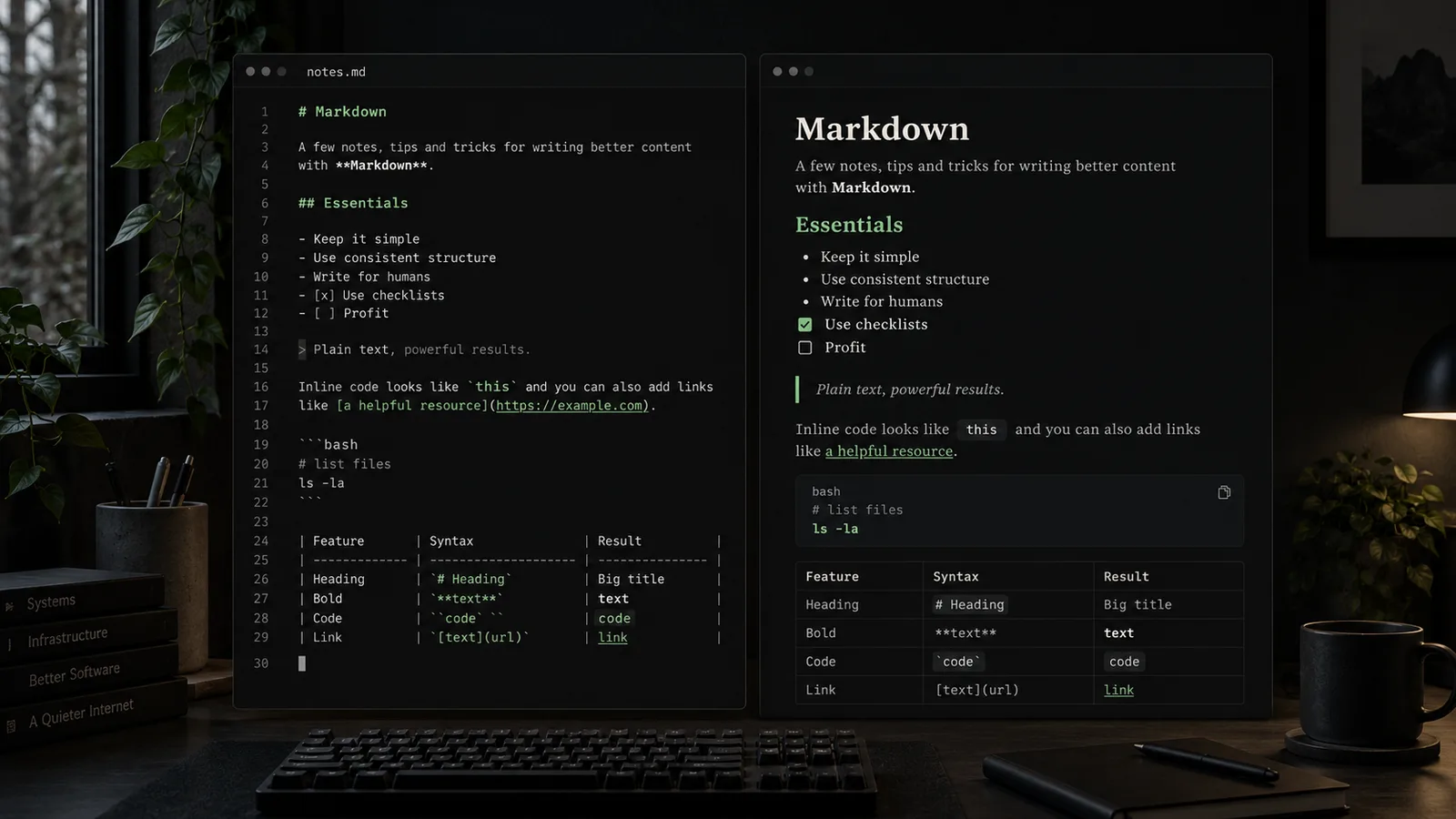
Plain text ages well
A .md file opened with cat, less, vim, a plain text editor, Obsidian, GitHub, or Hugo is still legible. Not “rendered nicely” — legible. That is a low bar, and it is exactly why it matters: most of the tools I use to read my own notes are not the tool that originally wrote them.
Compare that with formats whose usefulness collapses the moment the one application that understands them is gone, discontinued, or simply not installed on the machine you happen to be SSHed into. This is not an argument against Word or Notion — both are good at what they do. The difference is what happens when the fancy renderer isn’t there. A Markdown file fails gracefully. The content survives; only the formatting goes flat.
The source is supposed to be readable
One of Markdown’s strongest traits is that the source representation stays close enough to the rendered one that reading the source is not unpleasant. Take a note like this:
## Backup strategy

- local repository
- off-site copy
- tested restore procedure
Even with zero rendering, the structure is obvious. Compare that to the machine-facing equivalent:
<h2>Backup strategy</h2>
<ul>
  <li>local repository</li>
  <li>off-site copy</li>
  <li>tested restore procedure</li>
</ul>
HTML is excellent for machines and browsers. It was never meant to be pleasant to write by hand, and it isn’t. Markdown is often nicer for a human taking notes at 11pm. I am not suggesting one replaces the other — this article itself gets compiled to the HTML above by Hugo before anyone’s browser sees it. They are doing different jobs.
My rule: structure before formatting
When I write Markdown, I establish hierarchy first — title, section, subsection — and only then worry about paragraphs, lists, and emphasis. Bold, inline code, blockquotes and tables are tools for a document that already has a shape, not a substitute for giving it one.
If everything is emphasized, nothing is. A page where every other sentence is bold reads worse than one with no bold at all, because the reader can no longer tell which parts you actually meant to highlight.
Practical tips, from actual use
None of what follows is a full specification. It is the subset I keep coming back to.
Headings are navigation, not decoration
# is normally the document title. ## is a main section. ### only shows up when the hierarchy genuinely needs a third level. I try hard not to reach for ##### or ###### just because some text wants visual weight — that is what emphasis and structure are for, not heading depth.
On a Hugo site like this one, that discipline pays twice: a heading is also a navigational unit in the generated HTML, and a flat, meaningful heading structure is what makes an article easy to scan, edit, and maintain six months later.
Fenced code blocks: always declare the language
I prefer this:
git status
git diff
over an untyped fence. The obvious reason is syntax highlighting — bash, yaml, json, caddyfile all render usefully differently. The less obvious reason, specific to this site, is that omr.sh’s theme attaches a $ prompt marker to the first line of any language-bash or language-sh block via CSS. Get the language tag wrong and you silently lose that.
I reach for text on purpose when nothing above applies: ASCII diagrams, conceptual output, anything where syntax highlighting would add noise rather than information.
Inline code is incredibly useful
systemctl, /etc/caddy/Caddyfile, vmbr2, git diff — these go in backticks, not bold. My rough rule: if I could type it literally into a terminal, a config file, or a path, inline code usually carries more meaning than bold does. It is a convention, not a law — I break it when bold genuinely reads better.
Lists are for structure, not paragraphs
A short list like
- one idea
- another idea
- a third idea
is doing real work. A list where every bullet needs three sentences to make sense is not a list anymore — it is a set of subsections wearing a dash. If an item needs that much room, it usually deserves a heading of its own.
Checklists are underrated
- [x] build
- [x] staging
- [ ] production
This is one of the more genuinely useful bits of Markdown for the kind of work I actually do: change procedures, migrations, runbooks, deployment notes. A task list turns a paragraph of prose into something you can update mid-procedure without rewriting it.
Worth knowing before you rely on it everywhere: not every renderer treats task lists identically. I checked this site’s own setup before writing that sentence — Hugo’s Goldmark renders - [x]/- [ ] as real, disabled <input type="checkbox"> elements out of the box, no extra configuration needed. Obsidian and GitHub both support the syntax too, but the exact visual treatment differs, which is a preview of the next section.
Tables: useful, but only until they aren’t
| Host   | Role        |
|--------|-------------|
| Aurora | Development |
| Pulsar | Web runtime |
Small, structured comparisons like this are exactly what Markdown tables are good at. Once a table grows wide, or a cell wants to hold a real paragraph, the source becomes genuinely painful to edit by hand — at that point I either restructure the information or switch to a better representation. I don’t force everything into a table just because a table is available.
Blockquotes are not callout boxes
> Plain text, powerful results.
A blockquote means quoted or deliberately set-apart text — that is its actual job. I try not to reach for > purely because it renders with a nice left border. If this site eventually needs proper note/warning callouts, that deserves its own deliberate component, not every aside dressed up as a quote.
Links: meaningful text beats “click here”
[Hugo documentation](https://gohugo.io/documentation/)
beats
[click here](https://gohugo.io/documentation/)
almost every time — the link text should survive on its own if the hyperlink is stripped out. In technical notes, though, I’ll happily drop a raw URL in when the literal address is itself the useful information (an IP, a specific endpoint, a path). Context decides.
Images need alt text

is the actual syntax this site uses — no custom shortcode. Hugo’s markdown render hook here turns the title text into an automatically numbered fig. NN — caption, and the alt text is left to describe what’s actually useful about the image. “Screenshot” or “image” as alt text tells a screen reader, or a search index, or me in six months, nothing at all.
Whitespace is part of the format
Blank lines matter more than beginners expect. A list, a code block, and a paragraph jammed together with no breathing room can render in ways you didn’t intend, and the fix is rarely subtle syntax — it’s usually just a missing blank line. I don’t memorize the parser spec for this. The working rule is simpler: when in doubt, give structural elements room. Readable source tends to produce predictable output.
Escape only when you actually need to
Characters like *, _, #, and ` only need a backslash when the parser would otherwise try to interpret them as syntax. A sentence that happens to contain an asterisk in the middle of a word rarely needs escaping; a sentence that starts with a literal # sometimes does. I don’t litter documents with defensive backslashes — I add one when the rendered output actually proves I need it.
The useful trick: write for the raw file first
Before I preview anything, I ask one question: does this still make sense as
less article.md
? If yes, the Markdown underneath is probably healthy. The rendered version should improve the source — it should never be required to understand it. That is really just the Unix plain-text philosophy applied to writing, and it fits this site’s whole approach for the same reason.
Markdown and Git
This is where plain text stops being a personal preference and starts being genuinely practical. Because Markdown is text, git diff shows semantic changes clearly:
- deployment happens directly on production
+ deployment is verified on staging first
That line is immediately meaningful, in a way that version-controlling a binary document format never is — there, “diff” usually just means “different file,” with no indication of what actually changed. Everything I’ve written about the omr.sh workflow, up to and including this article, went through exactly that loop: write, git diff, decide, commit. Markdown isn’t just easy to write. It’s easy to review, which matters more the longer a project lives.
Markdown and AI
This is the part I didn’t expect to become this useful. Markdown gives both people and models an obvious shape to work with:
## Objective

## Constraints

## Current state

## Expected result
I write prompts this way. Claude returns procedures this way. I then save the same content straight into documentation, because it was already documentation-shaped. The line between a prompt, a note, a runbook, and an article has gotten surprisingly thin — not because Markdown makes a model smarter, but because it gives both sides of the conversation the same clean structure to hold onto.
Markdown and Hugo
This entire site is a small demonstration of the idea. I write:
content/notes/something.md
Hugo turns it into HTML at build time. The web server that eventually answers https://omr.sh/notes/something/ never has to know Markdown exists — it just serves files. Keeping this section short on purpose: this article isn’t a Hugo tutorial, just a reminder that “plain text in, structured web page out” is the whole architecture.
Markdown has dialects, and that is annoying
I don’t think Markdown is perfect, and treating it that way would undercut everything above. “Markdown” in practice means several related but not identical dialects — CommonMark, GitHub Flavored Markdown, whatever a given Hugo installation’s Goldmark config does, Obsidian’s own extensions. Task lists, tables, footnotes, callouts, and wiki-style links are not universally portable between them.
Concretely, on this site: Hugo’s Goldmark is not GitHub Flavored Markdown, but I checked rather than assumed, and it ships several GFM-shaped conveniences by default — task lists, tables, strikethrough, and footnotes all render correctly here with zero extra configuration in hugo.toml. Obsidian and GitHub both understand the same base syntax but disagree on some of the edges.
My practical rule: keep Markdown simple for anything that needs to travel between tools. Reach for an application-specific extension only when the value clearly outweighs the lock-in.
Things I deliberately avoid
- five levels of nested headings
- enormous tables that would read better as a list or a paragraph
- bolding every other sentence
- raw HTML inside Markdown unless there is genuinely no other way
- application-specific syntax in anything meant to be portable
- using Markdown as a page-layout language
None of these will break anything if you do them once. They just compound. Markdown holds up best when it’s allowed to stay simple.
A small Markdown toolbox
Not a full cheat sheet — just the shape of everything above, in one place:
# Title
## Section
**important**
*emphasis*
`command`
[link](https://example.com)

> quote
- list
- list
1. ordered
2. list
- [ ] task
- [x] done
```bash
command
```
The format disappears, and that is the point
A good Markdown document does not make me think about Markdown. I think about the note, the architecture, the procedure, the idea — the syntax mostly gets out of the way and lets me get to the point.
That’s probably why, after all these years and all these tools, I still reach for it before anything else. The best thing about Markdown was never what it can format. It’s how little it asks me to think about formatting at all.